
A desktop GUI for power users.
Multicluster Kubernetes — same mental model as kubectl, but
live-updating, multi-tab, and clickable.
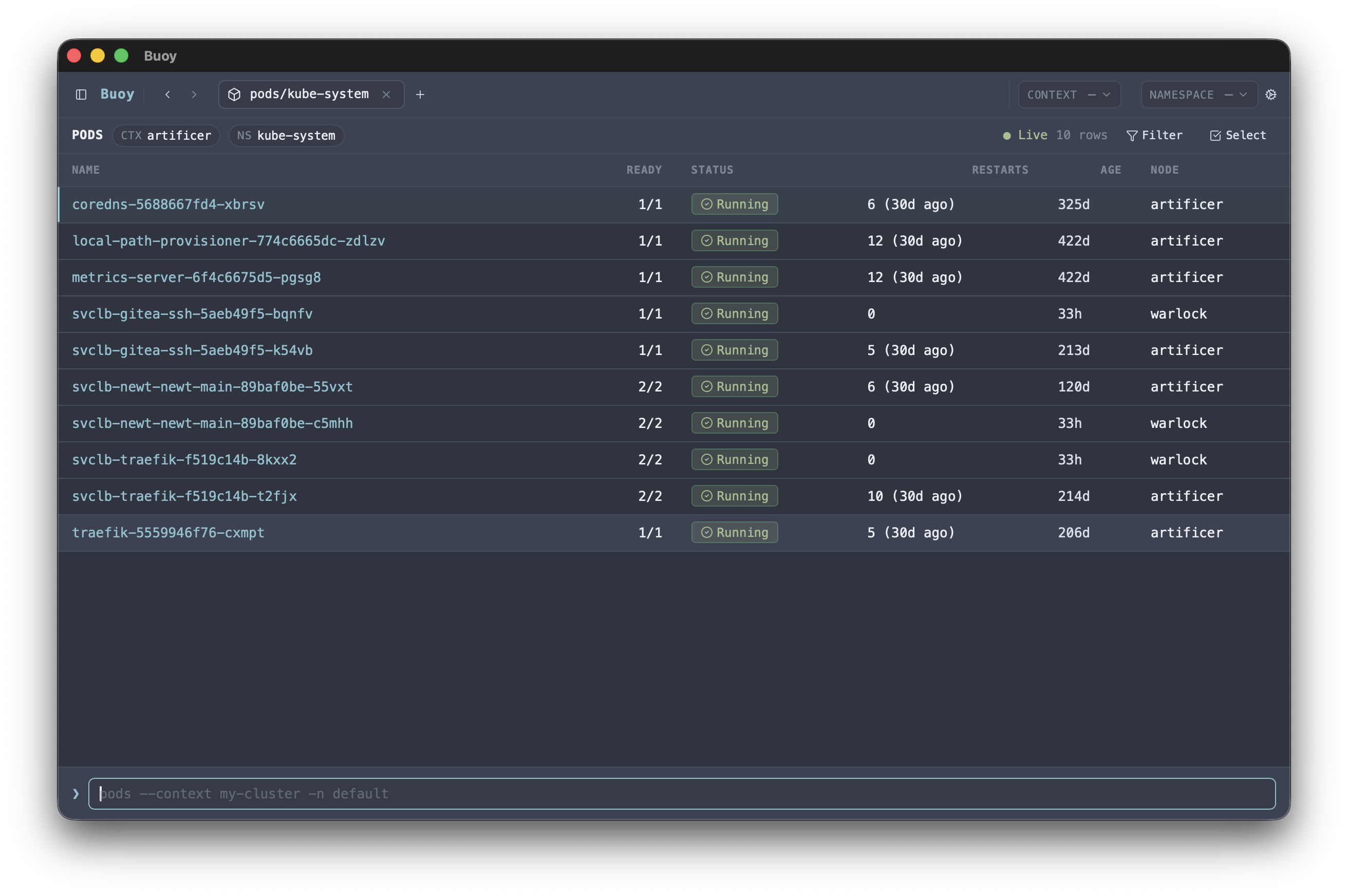
Built for power users.
Buoy keeps the kubectl mental model but trades CLI ergonomics for a desktop surface — live tables, clickable rows, multi-tab navigation, and bulk actions across every Kubernetes resource the API exposes.
kubectl-shaped command bar
Short names, -n / -A, -l / -f selectors, -L / -F extra columns. Tab-completes resources, contexts, namespaces, names, and label keys observed in the current view.
Multi-context fan-out
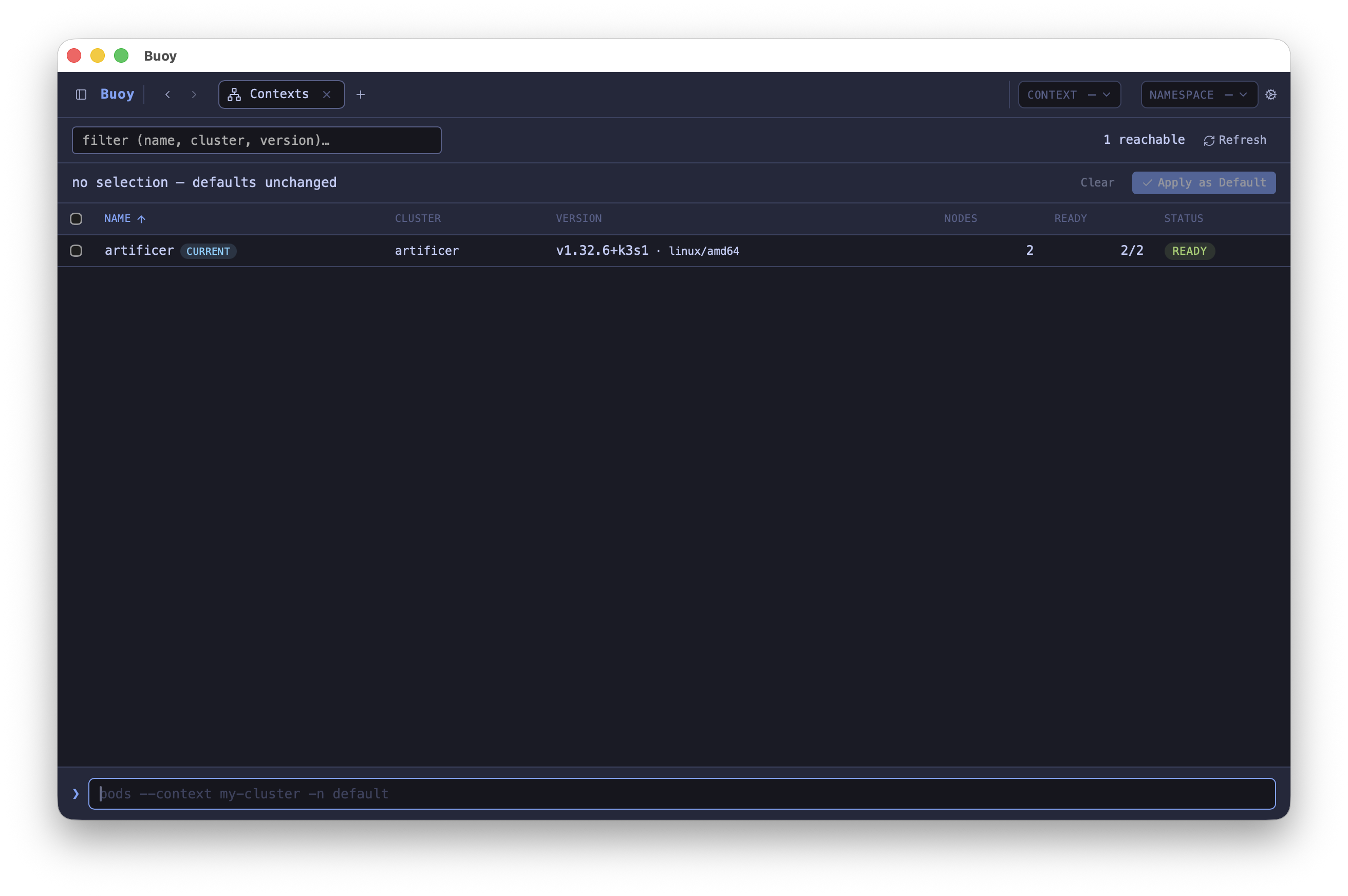
Run one query against one cluster, several, or every reachable context. The /contexts view is a sortable table of your whole kubeconfig with per-cluster reachability, version, and node counts.
Scheduling explainer
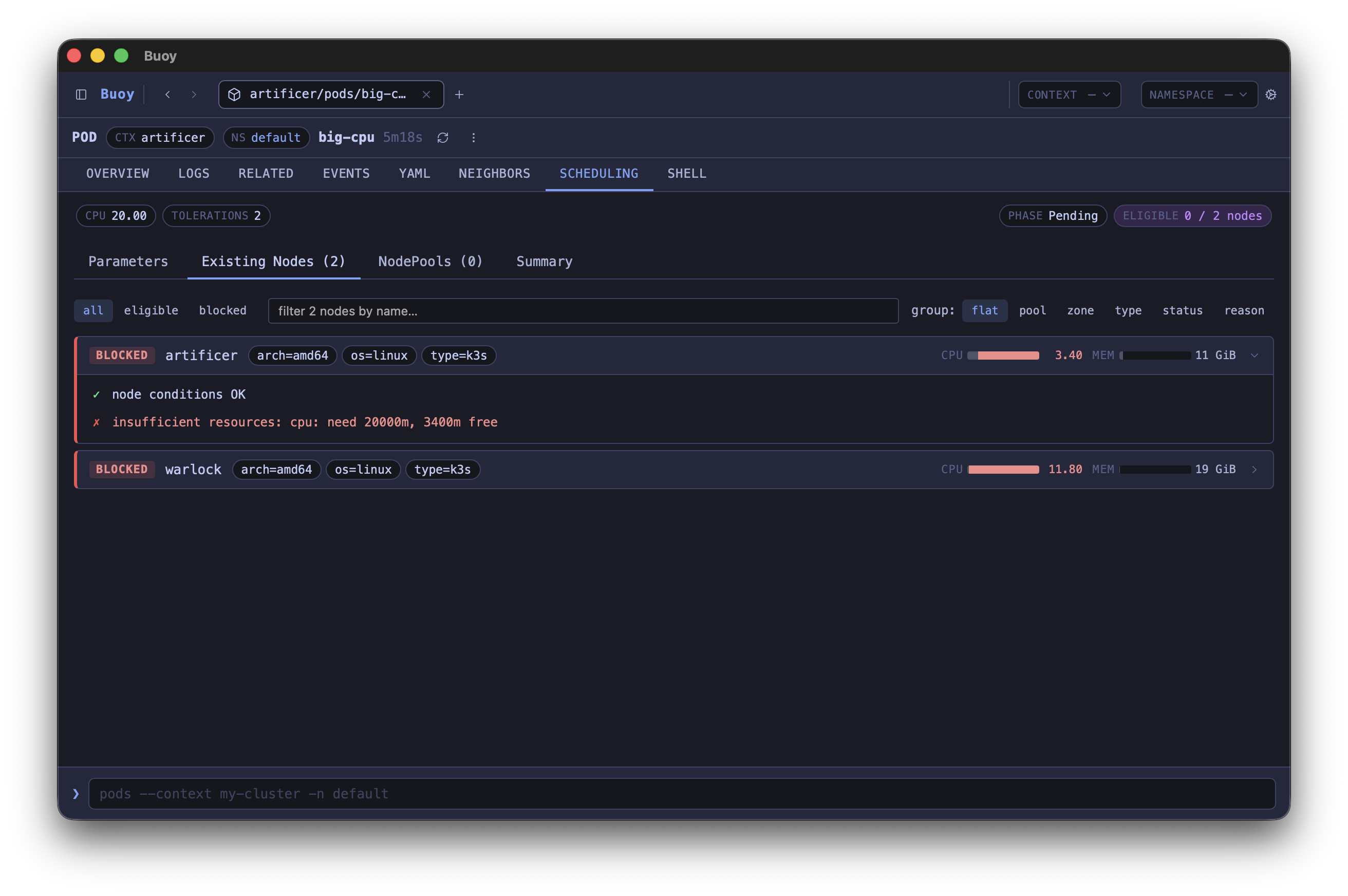
For any Pod, see which existing nodes and Karpenter NodePools could host it — with the failing rule (taint, affinity, resource fit, topology spread) called out per node.
Custom integrations
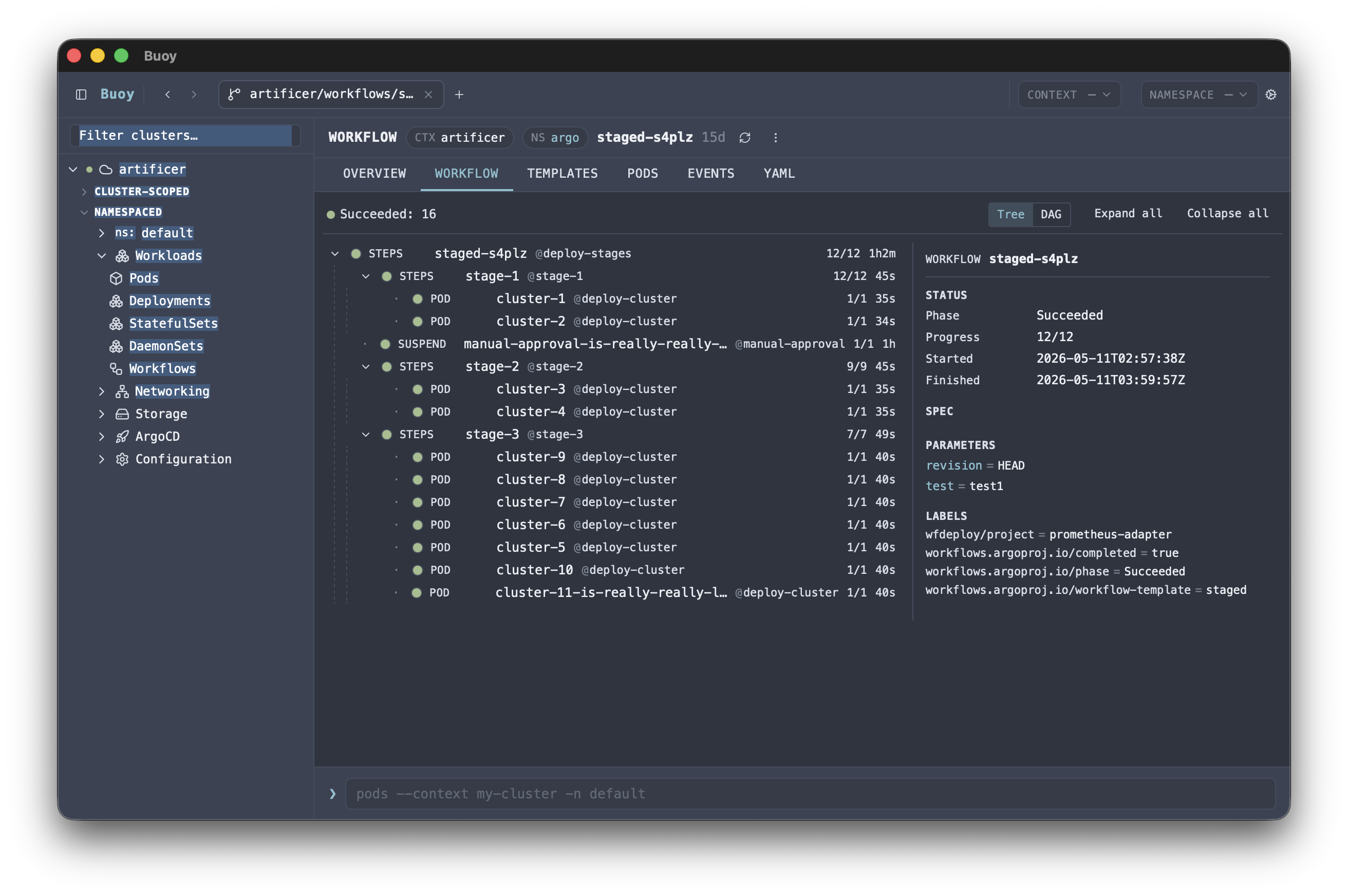
First-class detail views, actions, and controls for ArgoCD, Argo Rollouts, Argo Workflows, Karpenter, and Kueue — beyond what plain CRD inspection gives you.
Bulk actions with typed-confirmation
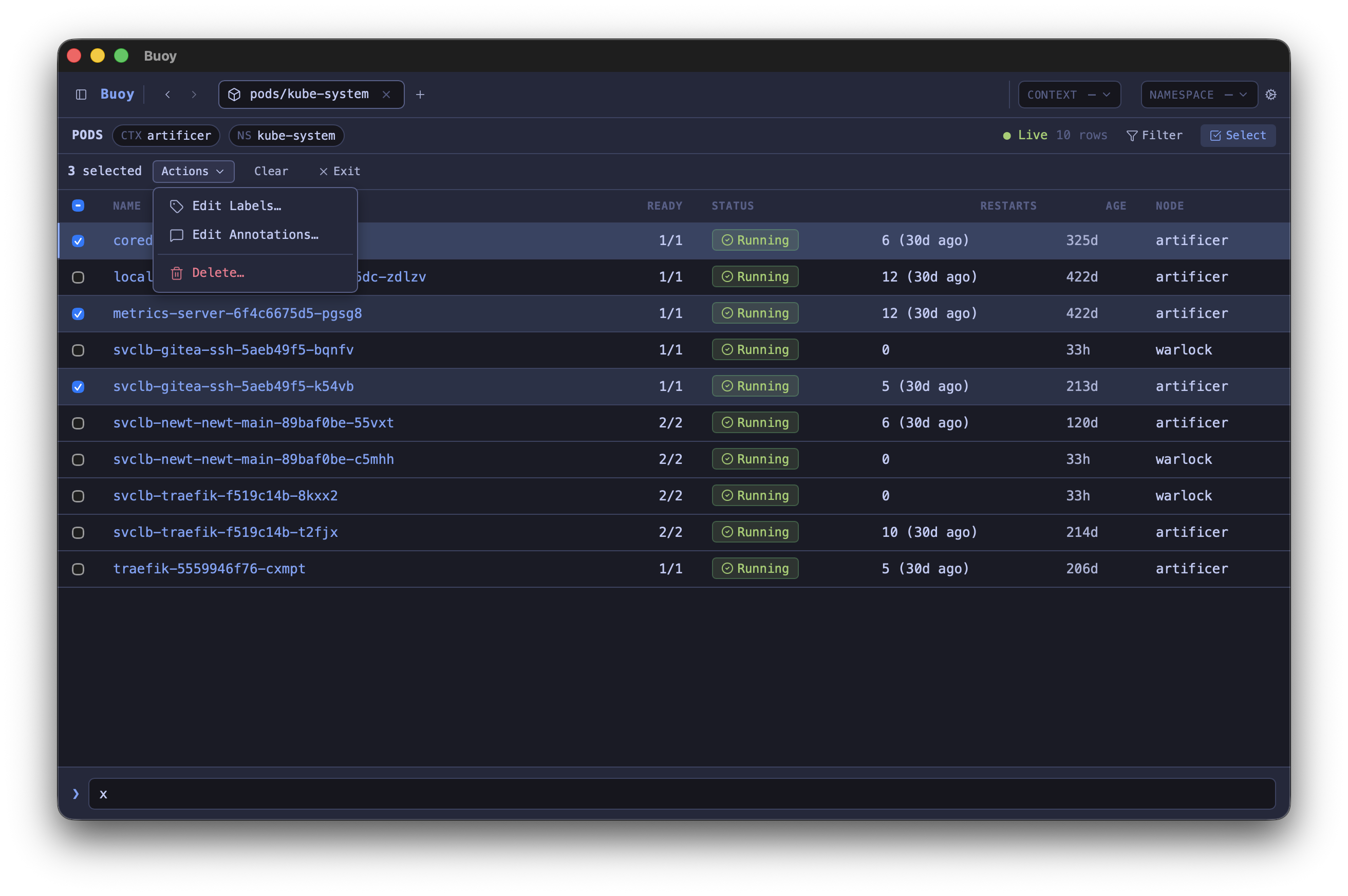
Multi-select rows and edit labels, edit annotations, delete, restart rollout, cordon / uncordon / drain. Every destructive action gated by a typed confirmation phrase.
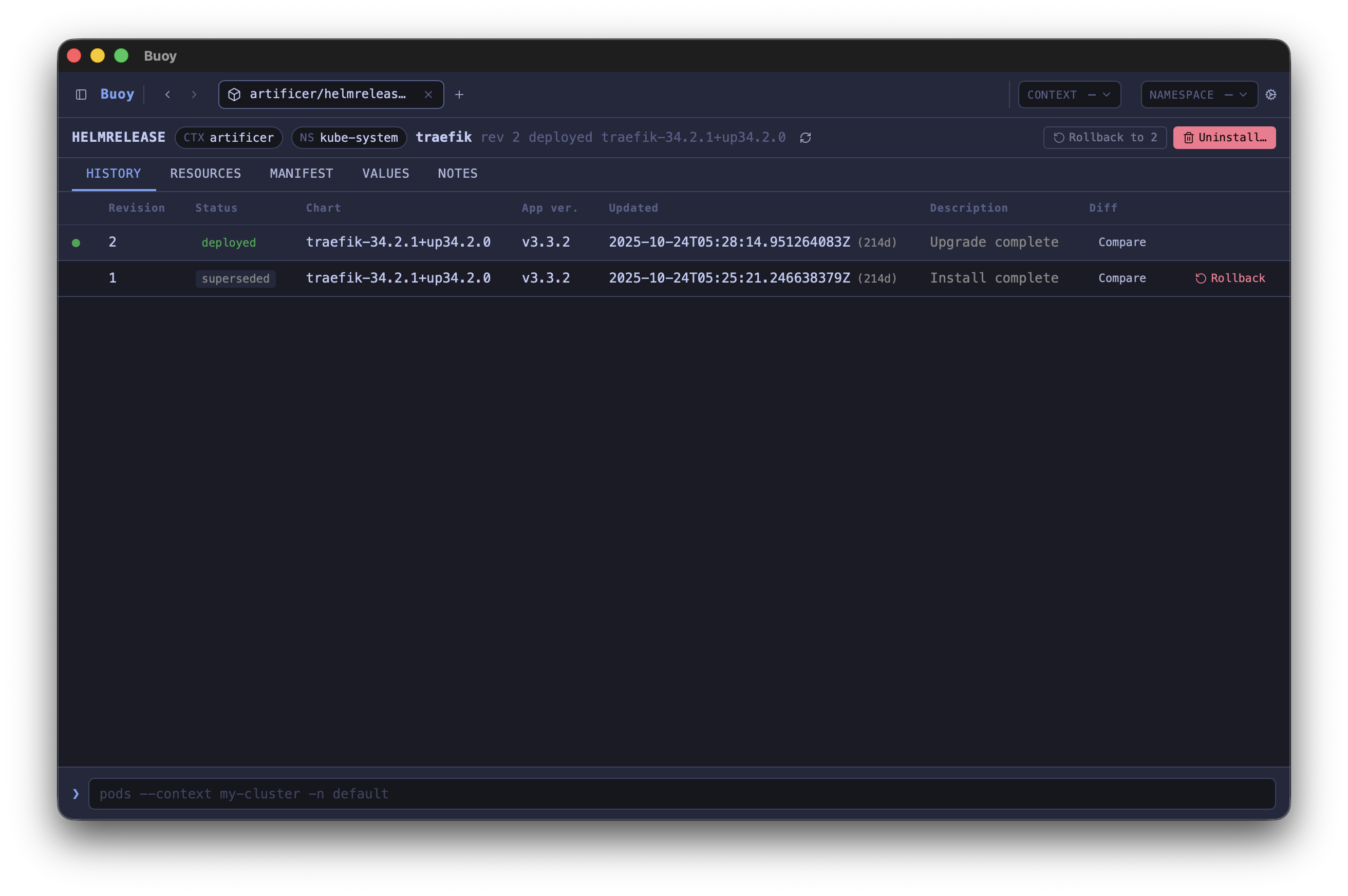
Helm history
Release revisions, diff between revisions, rollback, and uninstall — all from one view.
Plugin SDK
Drop a .tsx file in your plugins folder to add custom detail tabs, slash commands, table columns, actions, and views.
A closer look.
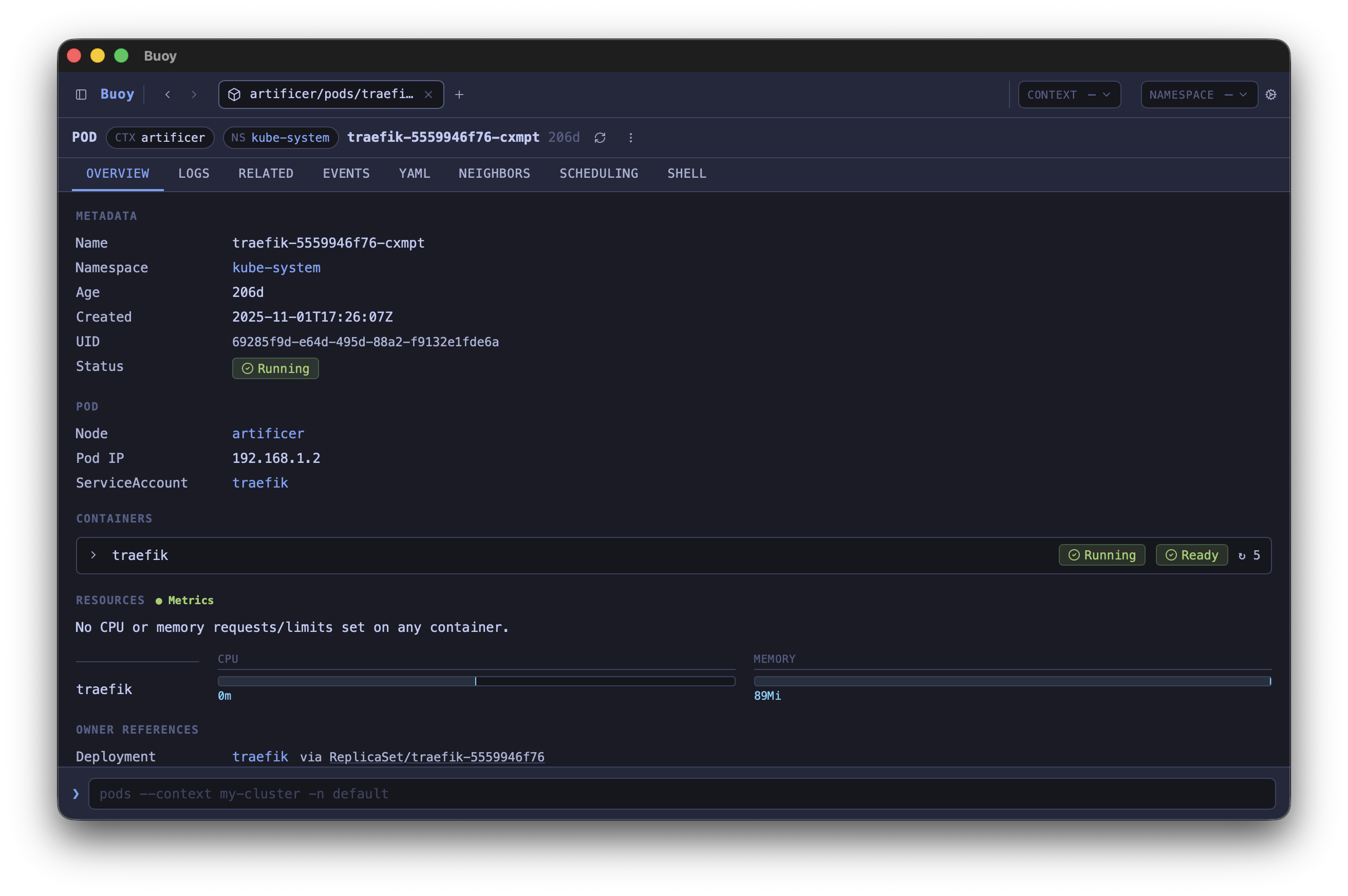
Detailed views for resources.
Every resource has a focused detail view with tabs for what matters: overview, YAML, logs, events, related objects, and per-kind extras like Scheduling for Pods or Rollout for Argo Rollouts.
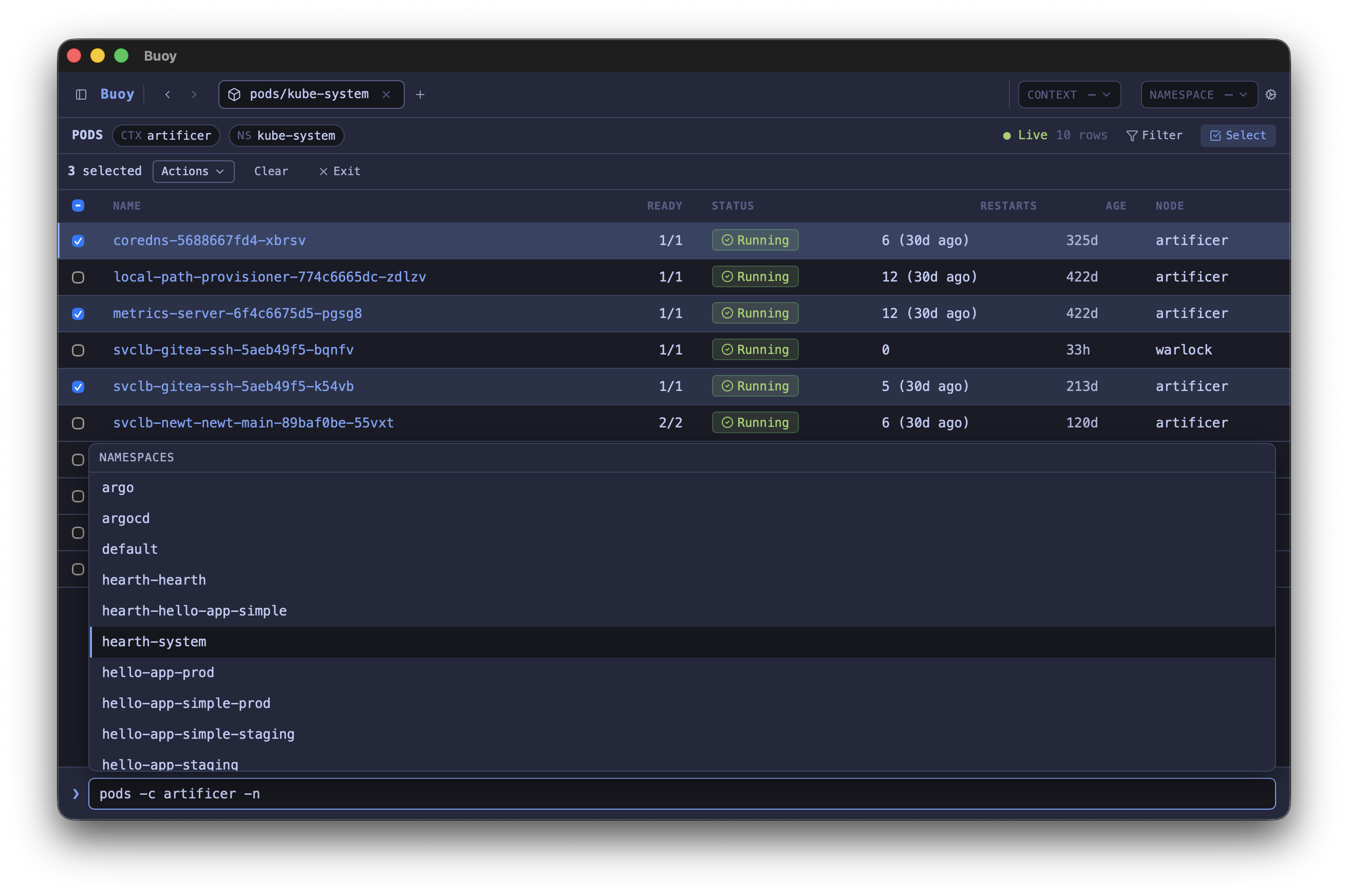
Autocompletion that knows your cluster.
Tab cycles through resource kinds, short names, contexts, namespaces, observed label keys, and even the names of objects already on screen. The same syntax as kubectl, with the lookups done for you.
See why your pod won't schedule.
The Scheduling tab evaluates every node and every Karpenter NodePool against your pod's affinities, taints, topology spreads, resource requests, and scheduling gates — and tells you exactly which rule failed. Grouped by NodePool, zone, or reason for thousand-node clusters.
One view, every cluster.
/contexts is a sortable, filterable table of your whole kubeconfig. Per-cluster reachability, server version, total and Ready node counts — all fetched in parallel with a bounded concurrency pool so a slow cluster doesn't gate the rest. Select 2+ rows to fan a query out across them.
Custom integrations, not just CRD inspection.
Purpose-built detail views and controls for the tools you actually use: ArgoCD, Argo Rollouts, Argo Workflows, Karpenter, and Kueue. Status, history, and the right action buttons — without leaving Buoy.
Bulk actions with a safety net.
Shift-click to range-select rows, then restart, drain, cordon, or edit labels and annotations across the whole selection. Every destructive action is gated by a typed confirmation phrase.
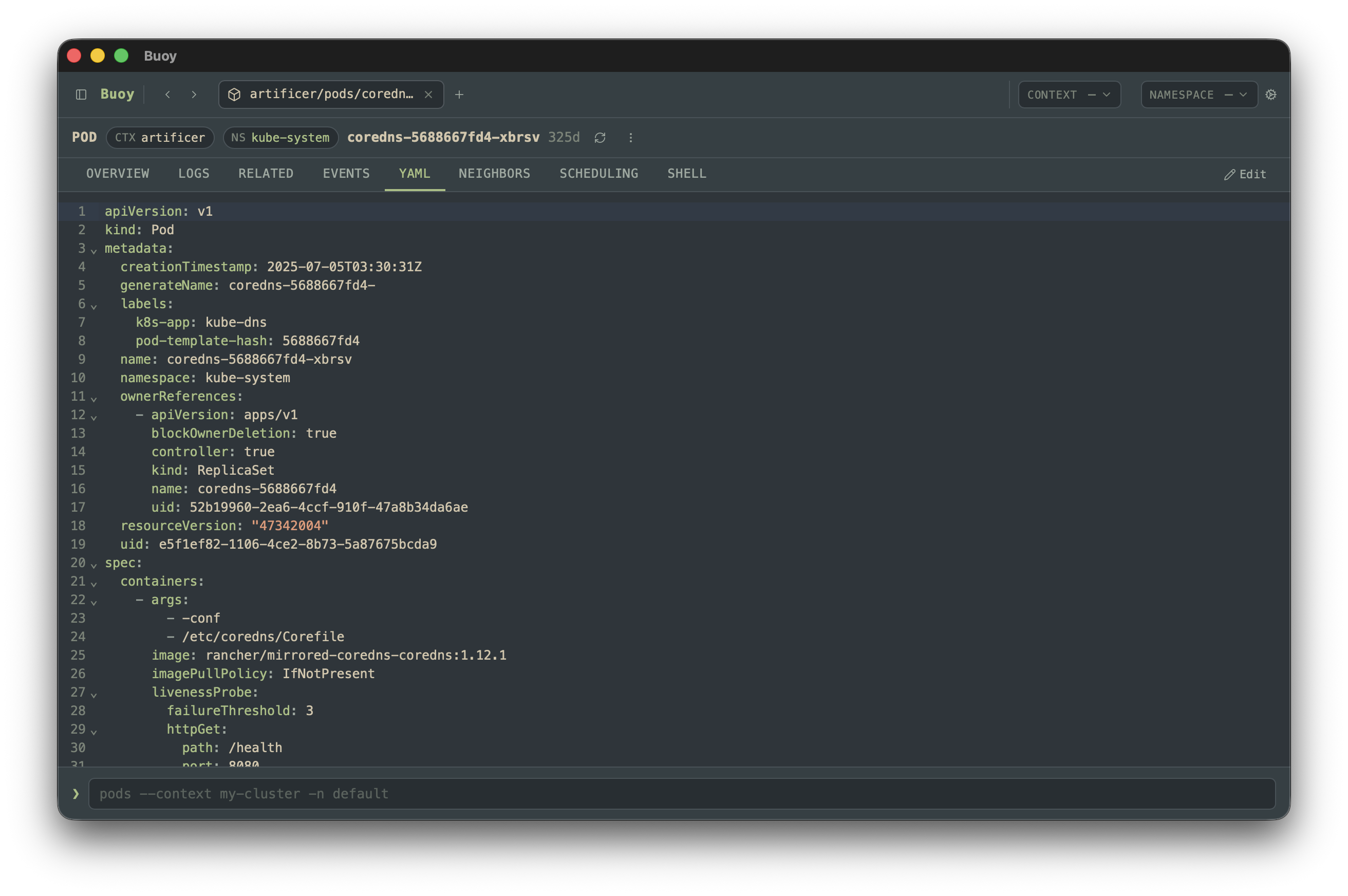
YAML edits with a diff you can read.
Edit any resource in a CodeMirror YAML buffer with syntax highlighting and Cmd/Ctrl-F search. Confirm modal shows the unified diff and applies server-side with field manager "buoy".
Visualized history.
See every revision of a Helm release or Deployment in one timeline — diff manifests and values between any two points, jump straight to the rollback action.
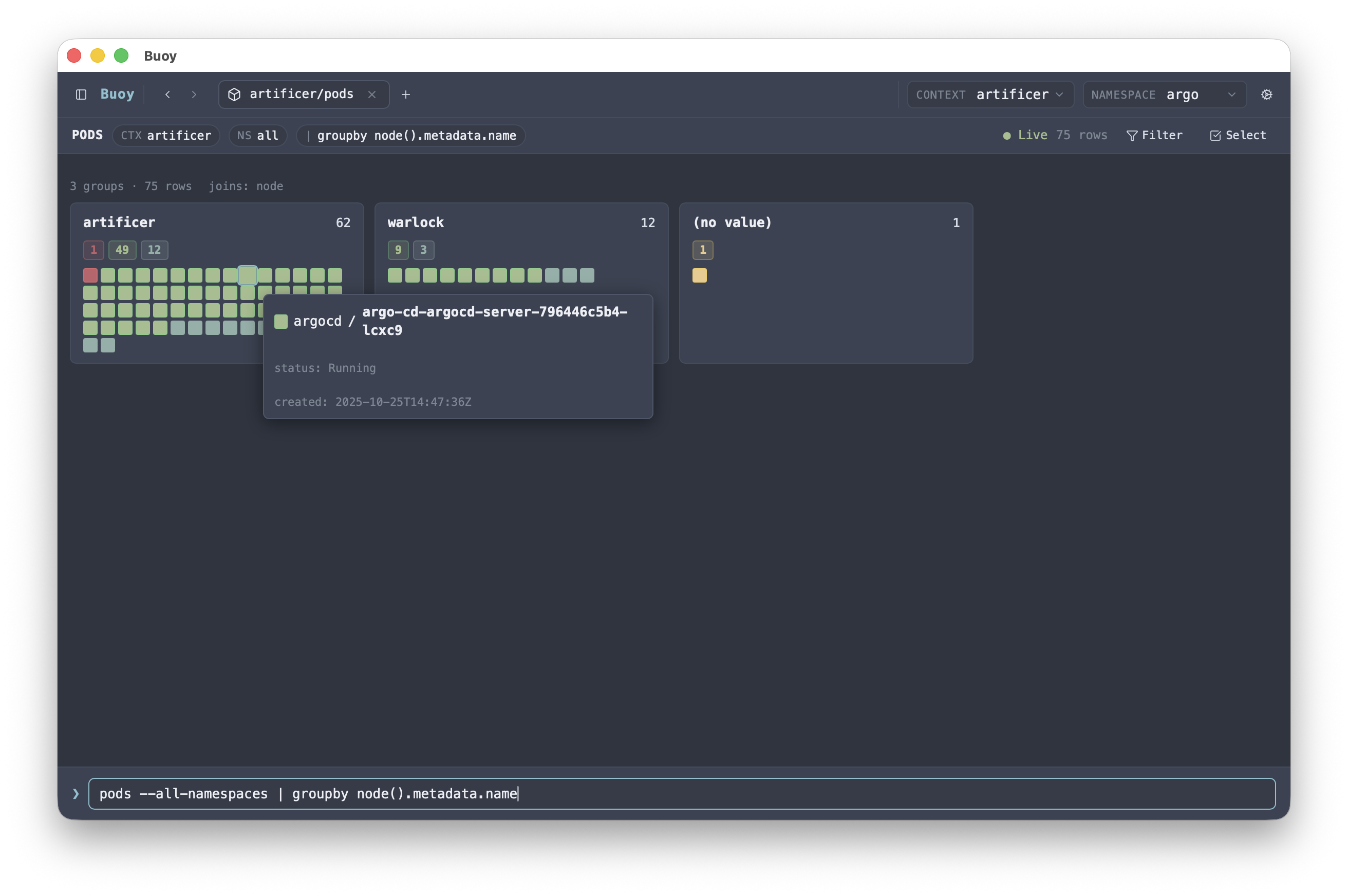
Drill down into health.
Pipe any list through groupby and Buoy buckets rows by any CEL expression you write — namespace, node, owner, label value, or context. Each bucket renders a card with status histograms or per-pod swatches, and clicking drills into a filtered table.
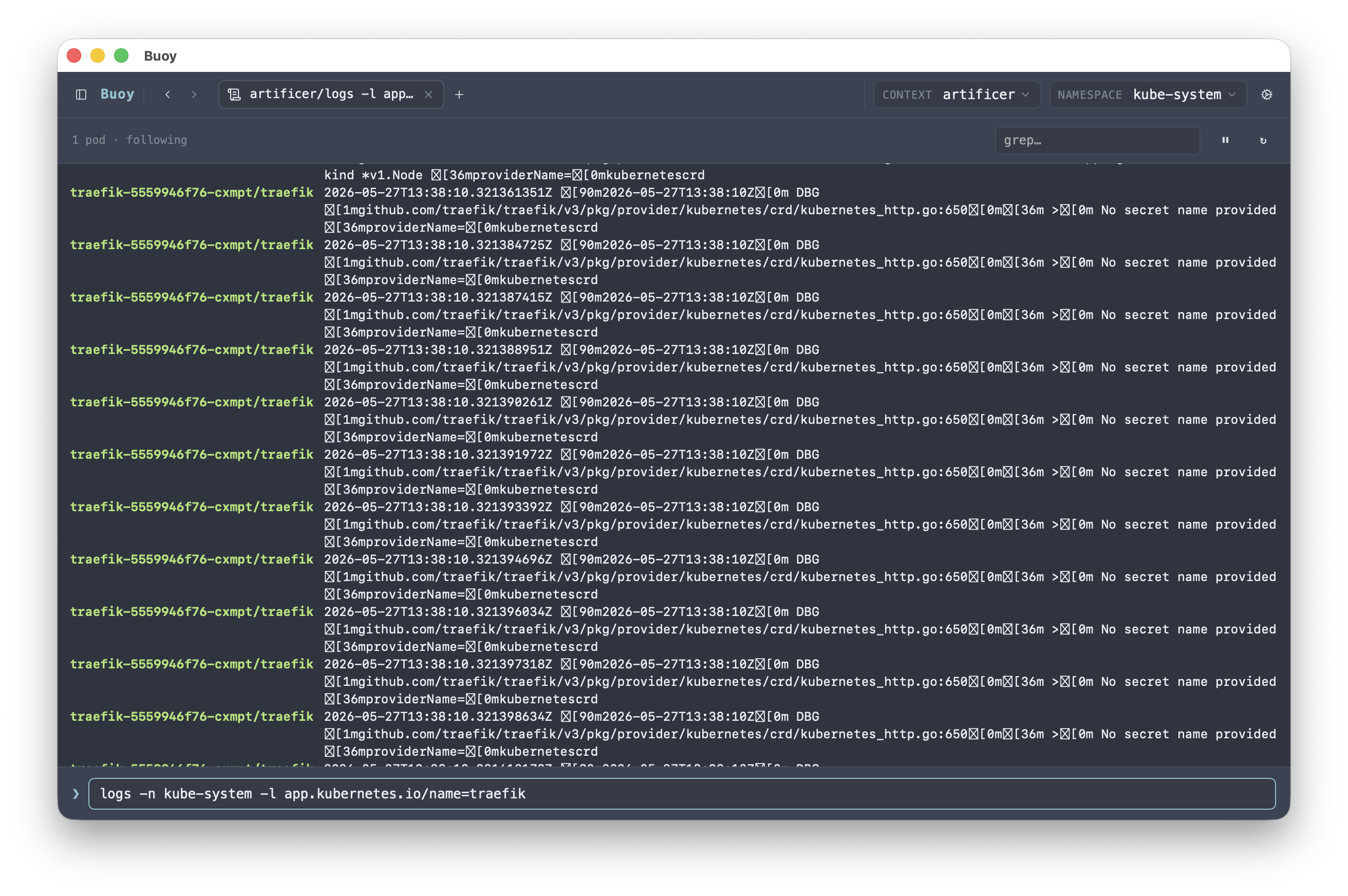
Logs for one Pod or many.
The Logs tab tails any container — regular, init, sidecar, or ephemeral debug — with filter, regex, tail size, and previous-instance controls. /logs <selector> aggregates the same view across every pod that matches a label or field selector.
Install
Buoy is a Tauri app — build from source with bun and
cargo. Pre-built bundles aren't published yet.
1. Install prerequisites
xcode-select --install
brew install rust bun
Installs the Xcode command-line tools, Rust (cargo), and
bun. Skip any you already have. No Homebrew?
Install it first.
2. Build and install Buoy
git clone https://gitlab.com/spruett/buoy buoy
cd buoy
./scripts/install-mac.sh
Builds the release bundle and installs Buoy.app to
/Applications (or ~/Applications with
--user). Flags: --open launches after install,
--skip-build reuses the last build,
--dmg also produces a .dmg.
1. Install prerequisites
sudo apt install cargo libwebkit2gtk-4.1-dev libgtk-3-dev \
  libayatana-appindicator3-dev librsvg2-dev build-essential
curl -fsSL https://bun.sh/install | bash
Installs Rust (cargo) and the Tauri build deps from apt, then
bun via its official installer (no apt package yet). If your
distro's cargo is too old, use
rustup instead. On Fedora / Arch, swap in
the equivalent webkit2gtk / gtk3 packages.
2. Build and install Buoy
git clone https://gitlab.com/spruett/buoy buoy
cd buoy
./scripts/install-linux.sh
Runs bun install, builds the release binary with
bun run tauri build, installs to
~/.local/bin/buoy, drops icons under
~/.local/share/icons/hicolor, and writes a
.desktop entry so Buoy shows up in your app menu. Make sure
~/.local/bin is on your PATH.
1. Install prerequisites
winget install Rustlang.Rustup
winget install Oven-sh.Bun
winget install Microsoft.EdgeWebView2Runtime
Installs Rust (cargo), bun, and the WebView2
runtime Tauri needs. You'll also need the Microsoft C++ Build Tools
(Visual Studio Installer → "Desktop development with C++").
2. Build Buoy
bun install
bun run tauri build
No install script yet. The bundle lands in
src-tauri/target/release/bundle/ (.msi /
.exe).